
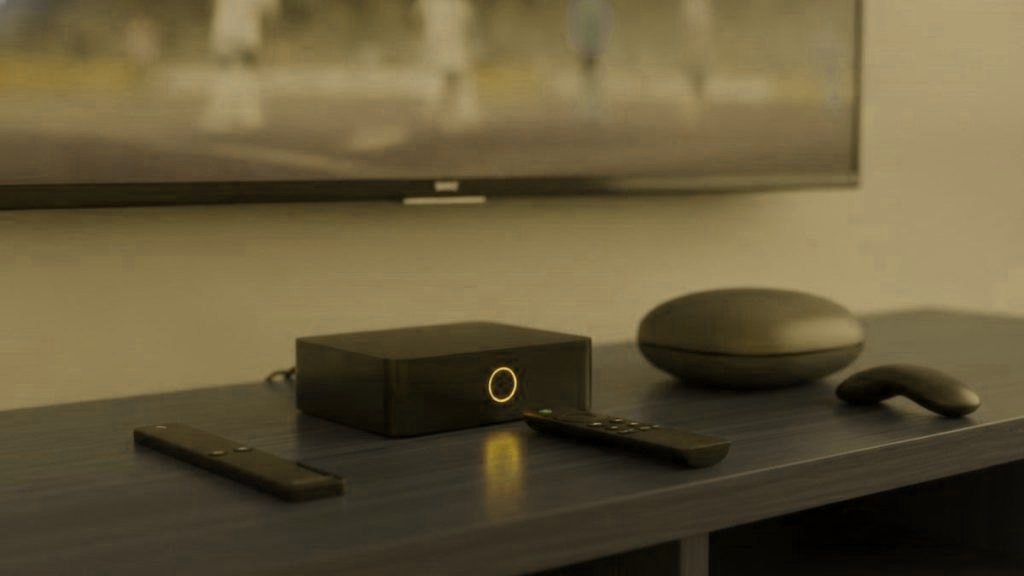
Before you buy anything, know this: you probably do not need a special IPTV box at all. A player app runs on the streaming devices already sitting in most living rooms across the United States, the United Kingdom, Canada and Australia. A box is worth buying only when the hardware you own is too slow, too limited or missing the app you want. This guide starts with whether you need one, then walks through the boxes and sticks worth considering and how to match them to your TV, your internet and the way your household watches.
Read this before spending
The best IPTV box is often the one you already have. Try your subscription on your current smart TV, Fire TV Stick or games console first. Only buy new hardware if that experience is slow, clunky or missing a player you want. IPTV is software; the box is just what runs it.
Do you even need a box?
Plenty of people run IPTV perfectly well without buying a thing. If your smart TV is recent and responsive, or you already own a streaming stick, install a player and you are done. The reasons to add a dedicated box are specific: an older smart TV that stutters and lacks a good IPTV app; a household that wants the smoothest possible guide and multi-view; or a viewer who prefers the traditional set-top-box feel with a proper remote. If none of those apply to you, spend the money on a longer subscription instead of hardware. If they do, the rest of this guide helps you choose well.
The boxes and sticks worth considering
These are the devices common in homes across the four markets, from the cheapest stick to the enthusiast box. We are not quoting prices, because they shift constantly with sales and by country, but the tiers below hold regardless of what you pay on the day.
Amazon Fire TV Stick
The default starting point, and for good reason. Fire TV sticks are inexpensive, sold everywhere in the US, UK, Canada and Australia, and run the popular IPTV players well. The 4K models have enough power for a smooth guide and high-resolution streams, and because so many people use them, help is easy to find. For most households this is the sensible first purchase, and often the only one needed.
Google TV Streamer (and Chromecast with Google TV)
Google’s streamer is the natural choice if you live in the Google ecosystem or want a clean Android TV base. It runs the same top-tier players as the Fire TV, integrates well with a phone, and the newer streamer adds power and storage over the older Chromecast. A strong, mainstream alternative to the Fire TV Stick rather than a step up in class.
Nvidia Shield TV
The enthusiast’s box. The Shield is markedly more powerful than a stick, which shows in instant channel changes, a fluid guide even with a huge channel list, and excellent handling of high-bitrate 4K. It costs considerably more and is overkill for a casual viewer, but for someone who wants the best living-room experience and keeps hardware for years, it is the one to want.
Apple TV 4K
The pick for Apple households. It is fast, beautifully smooth, and runs IPTV Smarters Pro and similar players cleanly. It is one of the pricier options and it favours people already using iPhones, iPads and the Apple ecosystem, but within that world nothing feels more polished.
Formuler and MAG boxes
The traditional IPTV set-top boxes. Formuler boxes (running Android TV) and MAG boxes (running a dedicated system) are built specifically for this kind of viewing, with remotes and interfaces designed around live channels and a guide. They appeal to people who want the classic cable-box feel rather than a general streaming device, and to those upgrading from an older MAG. They are more of a specialist purchase than a Fire TV Stick, but they do exactly what they are made for.
What to match: your TV, your internet, your habits
The right box is the one that fits three things about your situation.
| Consider | What it means for your choice |
|---|---|
| Your TV’s resolution | No point paying for a 4K box on a 1080p TV; a 4K stick is plenty for a 4K set |
| Your internet | 4K streams want a stable ~25 Mbps; on a slower line an HD-focused setup makes more sense |
| Wired vs Wi-Fi | If you can plug in Ethernet, a box with a wired port cures most evening buffering |
| How you watch | Casual viewing suits a stick; a heavy user with a huge guide benefits from a Shield or a set-top box |
| Your ecosystem | Apple TV for Apple homes, Google TV for Android homes, Fire TV for the widest support |
Note the internet numbers are guidance for typical broadband in these countries, not a guarantee; stability matters more than the headline figure, which is why a wired connection is worth so much.
A recommendation by household
To make it concrete, here is where most people land.
- Trying IPTV for the first time: a Fire TV Stick 4K. Cheap, capable, and if you decide IPTV is not for you, it still runs every mainstream streaming app.
- An Apple family: the Apple TV 4K, so the remote, the phone and the box all speak the same language.
- An enthusiast or a big shared household: the Nvidia Shield, for the fastest guide and the best 4K handling over years of use.
- Someone who wants the classic TV-box feel: a Formuler box, for the dedicated remote and live-TV interface.
- Anyone with a good recent smart TV: buy nothing yet. Install a player and see how it performs first.
Whichever way you lean, the software side matters just as much as the hardware. Our guide to IPTV player apps covers which app to load onto each of these boxes.
Sticks versus boxes: what you gain by spending more
The jump from a cheap stick to a powerful box is real but not always worth it, so it helps to know exactly what the extra money buys. A more powerful device gives you three things: faster channel switching, a smoother guide when the channel list is enormous, and better handling of high-bitrate 4K without stutter. It does not give you more channels, better picture quality on a channel that only streams in HD, or a more reliable connection, because those come from your subscription and your internet, not from the box. In other words, spending more improves how the software feels, not what the service can do. For a casual viewer a stick hides none of the service; for someone who lives in the guide every evening, a faster box removes small frustrations that add up over years.
What not to waste money on
A few purchases sound sensible and are not. Do not buy a 4K box for a 1080p television; the resolution is set by the screen, and you will see no benefit. Do not buy a pre-loaded box advertised as coming with channels already included, since a box is hardware and the channels come from a subscription, and such bundles are exactly the kind of offer our legality guide suggests treating with caution. And do not buy the most powerful box available “to be safe” if you watch casually on one TV; the money is better spent on a longer subscription. Match the box to your actual habits, not to the top of the range.
Getting the connection right matters more than the box
Whichever device you choose, the biggest single improvement you can make is the connection to it. A modest stick on a wired Ethernet link will usually outperform an expensive box on weak Wi-Fi during the busy evening hours. If your router is far from the TV, a powerline adapter or a mesh point near the set often does more for buffering than any hardware upgrade. Boxes with an Ethernet port, such as the Shield and many set-top boxes, make this easy; sticks may need a small adapter. Whatever you buy, treat the network as part of the purchase, because a fast box on a poor connection is still a poor experience.
The remote and the living-room feel
One thing rarely mentioned in spec comparisons decides a lot of satisfaction: the remote. A general streaming device like a Fire TV or Apple TV comes with a modern remote built around apps and voice, which suits people comfortable navigating a menu. A dedicated set-top box such as a Formuler or MAG comes with a remote laid out for live television, with number keys and channel controls that feel familiar to anyone coming from cable or satellite. Neither is better in the abstract; it depends on who is watching. In a household where an older relative wants to press a number and land on a channel, the traditional remote is worth more than raw processing power. In a home full of app users, the modern remote is the natural fit. Think about who holds the remote most, not just what the box can do.
Buying to last
Hardware you keep for years changes the value calculation. A cheap stick is the right call when you are testing the water, but if you know IPTV is now part of how your household watches, a more capable device tends to age better: it keeps switching quickly and handling a big guide smoothly long after a budget stick has begun to feel sluggish. The Nvidia Shield has a particular reputation here for staying usable for years, and a good set-top box is built for the single job it does. That said, none of this is worth paying for before you are sure the service suits you, which is why the order matters, prove the service first, then invest in hardware you will keep.
Setup is the same idea on every box
The reassuring part is that no box is harder than another. On all of them the process is: install a player from the device’s app store, enter the login your provider sends, and wait a moment for the channel list and guide to load. There is no soldering, no configuration file, no technical step. With AurexTV it typically takes under 15 minutes on any of these devices, and our setup guides cover the specific ones, including the Fire TV Stick and MAG and Formuler boxes.
The smart way to choose a box is to test the service before you spend on hardware. Start a no-card free trial on whatever you already own, see how it performs, and only then decide whether a new box would actually improve things. When you are ready, the plans carry a 7-day money-back guarantee, and if you are new to all of this our explainer on how IPTV works is a good place to begin.
Frequently asked questions
Do I need a special box for IPTV?
Often not. A player app runs on a recent smart TV, a streaming stick you already own or a games console, so try the service on your current hardware first. Buy a dedicated box only if that experience is slow, clunky or missing the app you want.
What is the best IPTV box?
For most people a Fire TV Stick 4K is the sensible starting point: cheap, capable and widely supported. An Apple TV 4K suits Apple households, the Nvidia Shield is the enthusiast choice for the smoothest guide and 4K, and Formuler or MAG boxes give the traditional set-top-box feel with a live-TV remote.
What does spending more on a box get me?
A more powerful box gives faster channel switching, a smoother guide with a huge channel list, and better high-bitrate 4K handling. It does not give you more channels or better quality on a channel that only streams in HD, because those come from your subscription and your internet, not the box.
Should I buy a box that comes with channels included?
No. A box is hardware; the channels come from a subscription. A device advertised as pre-loaded with channels is exactly the kind of offer to treat with caution, and our legality guide explains why. Buy the hardware and choose an accountable service separately.
Does the box or the internet matter more?
The connection usually matters more. A modest stick on a wired Ethernet link will often outperform an expensive box on weak Wi-Fi in the evening. If you cannot run a cable, a mesh point or powerline adapter near the TV frequently helps more than a hardware upgrade.
How hard is it to set up IPTV on a box?
It is the same simple process on every device: install a player from the app store, enter the login your provider sends, and wait a moment for the channel list and guide to load. With AurexTV it typically takes under 15 minutes, and setup guides cover each device.
Ready to start watching tonight?
Order on WhatsApp and get your login in under 15 minutes. No contract, and a 7-day money-back guarantee.
Related articles
Which Countries’ Channels Does IPTV Cover in 2026?
Quick answer: A broad IPTV service covers channels from dozens of countries in one app. AurexTV carries channels from 60+ countries, with…
October 15, 2026IPTV for Travellers: Watch Your Home TV Anywhere
Quick answer: To watch your home TV while travelling, use an IPTV service that carries your home channels over the internet and…
October 15, 2026The Best IPTV for Expats and Movers in 2026
Quick answer: The best IPTV for expats and movers in 2026 is one that carries your home channels and your new country's…